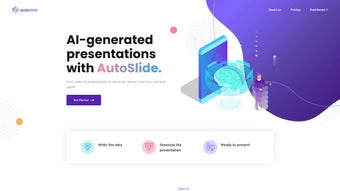

Download AutoSlide – AI‑Powered Presentation Generator, Fast & Free
Introduction: Why AutoSlide Is Changing the Presentation Game
Creating a polished presentation used to be a time‑consuming chore that required design expertise, endless research, and countless revisions. In today’s fast‑paced business environment, professionals, educators, and students alike need a way to convey ideas quickly without sacrificing quality. AutoSlide bursts onto the scene with a promise to turn those long‑hour tasks into a matter of seconds. Powered by OpenAI’s GPT‑3 language model, AutoSlide leverages cutting‑edge artificial intelligence to draft slide content, suggest visual layouts, and even fine‑tune the narrative flow—all while you watch. The result is a seamless blend of compelling copy and eye‑catching design, ready to be exported to Google Slides, PowerPoint, or PDF with a single click.
Beyond its AI core, AutoSlide is built for accessibility. Whether you’re a student scrambling for a class project, a marketer needing a quick pitch deck, a consultant preparing a client briefing, or a business executive polishing a quarterly review, the tool adapts to your workflow. Its subscription plans are budget‑friendly, starting at just $1.99 per month for the personal tier, making professional‑grade presentations affordable for anyone.
AutoSlide also offers a 7‑day free trial, so you can test the AI’s output before committing. In the sections that follow, we’ll dive deep into the product’s core features, walk through the installation process, explore compatibility across platforms, and weigh the pros and cons so you can decide if AutoSlide deserves a spot on your productivity toolbox. By the end of this review, you’ll understand how AutoSlide can save you hours of manual work, improve the visual impact of your decks, and help you deliver messages with confidence.
Overview & Core Features of AutoSlide
AutoSlide is an AI‑driven presentation generator that transforms a simple prompt into a fully structured slide deck in seconds. The engine reads your brief, pulls relevant data from its massive language model, and formats the output into coherent chapters, complete with bullet points, speaker notes, and visual suggestions. The interface is intentionally minimalistic: you type a topic, select a template, and let the AI do the heavy lifting. Once generated, you can tweak the design, rearrange slides, or add custom graphics before exporting.
- GPT‑3 powered content generation for accurate, context‑aware slide text.
- Instant export to Google Slides, Microsoft PowerPoint, and PDF.
- Two subscription tiers: Personal ($1.99/mo, 5 presentations, up to 3 chapters) and Premium ($4.99/mo, 20 presentations, up to 10 chapters, advanced design options).
- One‑click design customization with modern, responsive templates.
- Built‑in customer support for both plans, ensuring quick resolution of any issues.
- Secure cloud storage for your drafts, with GDPR‑compliant data handling.
- Regular AI model updates to keep content fresh and relevant.
The platform also offers a “Smart Chapter” feature that automatically breaks long topics into digestible sections, ensuring that each slide remains focused and impactful. For users who demand more control, the premium plan unlocks granular styling options—custom color palettes, font families, and animation settings—so your brand’s visual identity shines through every deck. AutoSlide’s AI not only writes text but also recommends relevant icons, high‑resolution images, and data visualizations based on the content, dramatically reducing the time spent searching for appropriate visuals.
Installation, Usage Instructions & Compatibility
Getting started with AutoSlide is designed to be frictionless. The software is delivered as a web‑based SaaS, meaning you don’t need to download a heavyweight client. Simply visit the official AutoSlide website, create an account, and you’re ready to generate presentations from any modern browser. For users who prefer a desktop feel, a lightweight Electron wrapper is available for Windows, macOS, and Linux, providing offline caching and faster load times.
Here’s a step‑by‑step guide to creating your first deck:
- Sign up using your email or Google account.
- Select your subscription tier (Personal or Premium) and complete the secure payment.
- On the dashboard, click “New Presentation,” then type a concise prompt (e.g., “Market analysis for Q3 2025”).
- Choose a template style—Corporate, Creative, Minimalist, or Academic.
- Press “Generate.” Within seconds, AutoSlide presents a slide outline with suggested headings, bullet points, and speaker notes.
- Use the built‑in editor to adjust text, swap images, or reorder slides.
- When satisfied, click “Export” and pick Google Slides, PowerPoint, or PDF.
AutoSlide runs flawlessly on Windows 10/11, macOS 10.14 and later, Chrome OS, as well as mobile browsers on Android 8+ and iOS 13+. The Electron desktop app mirrors the web experience, ensuring consistent performance across devices.
Security is baked in: all data transfers are encrypted via TLS 1.3, and your presentation files are stored in isolated containers on AWS, complying with GDPR and CCPA standards. Updates to the AI model and UI are rolled out automatically, so you always have the latest features without manual patches.
Pros & Cons, Frequently Asked Questions
Pros
- Lightning‑fast AI content generation saves hours of manual drafting.
- Affordable subscription plans make professional presentations accessible.
- Multiple export formats (Google Slides, PowerPoint, PDF) fit any workflow.
- Intuitive UI with one‑click design customization.
- Cross‑platform compatibility, including desktop and mobile browsers.
- Secure cloud storage with GDPR and CCPA compliance.
- Regular AI model updates keep content relevant.
Cons
- Limited chapter count on the Personal plan may restrict larger projects.
- Advanced design tweaks are locked behind the Premium tier.
- Being a cloud‑centric service, a stable internet connection is required for full functionality.
- Free trial limits the number of generated presentations.
- Some niche industries may need additional manual editing for technical accuracy.
FAQ
Can I use AutoSlide for free?
AutoSlide offers a 7‑day free trial for new users, allowing you to generate up to three presentations without charge. After the trial, you’ll need to choose a paid plan to continue using the service.
Is my data safe on AutoSlide?
Yes. All data is encrypted in transit (TLS 1.3) and at rest. AutoSlide complies with GDPR and CCPA, and presentations are stored in isolated AWS containers that are not shared with other users.
Can I edit the AI‑generated content?
Absolutely. After generation, the built‑in editor lets you modify text, add images, rearrange slides, and fine‑tune design elements before export.
Which export formats are supported?
AutoSlide supports direct export to Google Slides, Microsoft PowerPoint (.pptx), and PDF. All formatting and design choices are preserved across these formats.
Do I need a powerful computer to run AutoSlide?
No. Because the heavy AI processing occurs on AutoSlide’s cloud servers, any modern computer, tablet, or smartphone with a stable internet connection can handle the application smoothly.
Conclusion & Call to Action
AutoSlide delivers on its promise to democratize high‑quality presentation creation. By harnessing GPT‑3’s language prowess and wrapping it in a clean, user‑friendly interface, the tool slashes the time you spend on slide drafting while still giving you enough creative control to keep your brand voice intact. The pricing is transparent and competitive, especially for freelancers, small teams, and educators who need a reliable presentation partner without breaking the bank. Moreover, the 7‑day free trial provides a risk‑free opportunity to evaluate whether the AI‑generated decks meet your standards before you commit to a subscription.
If you’re tired of staring at a blank PowerPoint template, spending hours polishing a Google Slides deck, or hunting for the perfect visual assets, AutoSlide offers a fast, secure, and affordable alternative. The platform’s cross‑platform compatibility means you can work from a Windows laptop at the office, switch to a macOS tablet on the go, and even finish a deck from an Android phone while commuting. All data is encrypted, and the cloud‑based AI ensures you always have the latest content suggestions without manual updates. In short, AutoSlide equips you with both the content and the design tools needed to deliver compelling presentations with confidence.
Ready to transform your next pitch? Download AutoSlide now and start building impressive decks in seconds. Experience the future of presentation creation today and see how much time you can reclaim for strategic thinking and creative work.



.png)



